Databox Review for Marketing Agencies: AI-Powered Client Reporting That Saves Hours If the Pricing Math Works for You (2026)
Databox connects 130+ tools into branded client dashboards with AI-generated summaries. But the per-data-source pricing catches agencies off guard fast. Here's the honest 2026 breakdown before you sign up.
If your agency still builds client reports manually, pulling numbers from GA4, Google Ads, HubSpot, and Facebook Ads into a deck every month, Databox solves that problem directly. Connect your data sources once, build a branded dashboard, and client reporting runs automatically from there. Verified agency users on G2 cite dramatically faster reporting, with real-time dashboards that update automatically and scheduled reports that go out to clients without manual assembly.
That value is real, and it's why Databox has become one of the most widely used reporting platforms for small and mid-sized marketing agencies. But the pricing model catches agencies off guard more than any other single issue, and the source notes most people read when evaluating Databox are already outdated on a critical point. Here's the full picture as of 2026.
Important Update: No More Free Plan
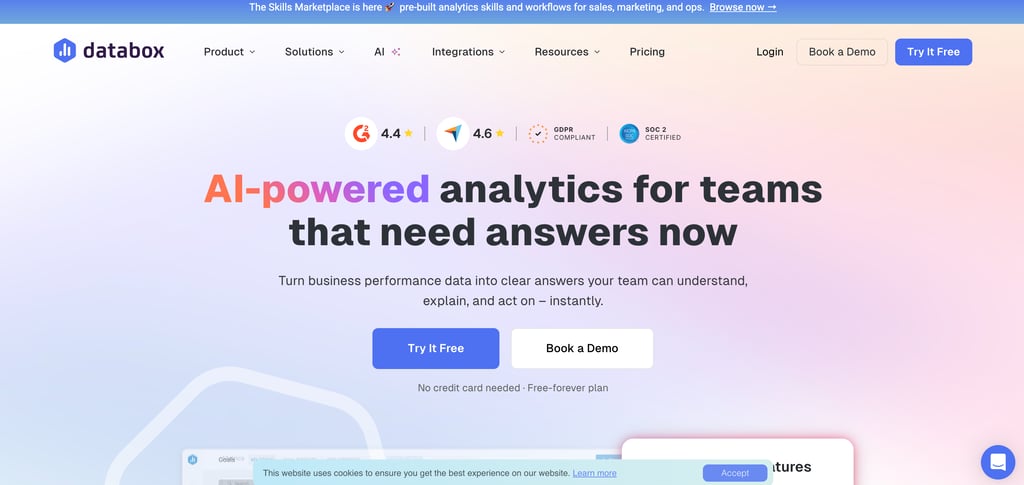
The source document you may have seen describing Databox's "generous free plan" is no longer accurate. Databox eliminated its free plan in 2026. The cheapest option is now the Professional plan at $159/month.
There is a 14-day free trial available with no credit card required, which is the right way to test the platform before committing, but there is no ongoing free tier anymore. Factor that into your comparison from the start.
What Databox Actually Does for Agencies
Centralized client dashboards: Connect your clients' marketing tools, Google Analytics, Google Ads, HubSpot, Facebook Ads, Shopify, LinkedIn Ads, Salesforce, and 130+ more, and Databox pulls everything into a single, real-time dashboard. Templates help agencies launch new client reports quickly, and the platform supports separate client-specific workspaces to keep data organized.
AI-generated performance summaries: Databox's AI Analyst (previously called Genie) answers plain-English questions about your data "Why did this client's traffic drop last month?" and automatically generates narrative summaries explaining what happened, why it changed, and what to do next. Agency users cite this as particularly useful for keeping reports insightful and always up to date without manual analysis.
Automated report delivery: Reports go out to clients on a schedule weekly, monthly, or custom without anyone on your team manually exporting and sending them. For agencies managing five or more client accounts, this alone saves meaningful time every month.
White-label branding: Every dashboard and report a client sees can carry your agency's logo, colors, and domain, with no Databox branding visible. This is available as a paid add-on on lower tiers and included on the Premium plan.
OKR and goal tracking: Agencies can set performance targets for each client and visualize progress directly in dashboards useful for showing clients whether campaigns are hitting agreed KPIs in real time rather than just at monthly review meetings.
Start your 14-day Databox trial, no credit card required.
The Pricing Reality for Agencies
This is the section most Databox reviews handle poorly, so I'm going to be specific.
Databox prices are based on the number of data sources, not on user seats. Unlimited users are included on all paid plans. The key detail: a data source is each account or property within a connector. Connecting Google Analytics across three website properties counts as three data sources, not one.
That distinction matters enormously for agencies. A single client with Google Analytics (2 properties), Google Ads, Facebook Ads, and HubSpot already has 5 data sources. Three clients like that are 15 data sources. On the Pro plan that includes only 3 sources by default, each additional source costs $5.60/month on annual billing, so 15 total sources means 12 extra sources at $5.60 each, adding $67.20/month on top of the base plan price.
Multiple public reviews flag the layered paywall structure. One Capterra reviewer described it as "nickel and dime at every turn, you will be charged for features, usage, branding, or support." These are consistent themes, not edge cases.
Verified 2026 Agency Plan pricing (separate track from Business plans, with lower per-source rates):
Agency plans include client sub-accounts, white-label options, and portfolio views.
Agency plans carry a per-source rate of $2.40/month on annual billing, less than half the Business plan rate of $5.60/month, which is significant for agencies managing many client data sources
White-labeling is included on Premium ($799/month annual) and available as a paid add-on on lower tiers
AI summaries and forecasting start on the Growth tier and above.
Before you sign up, calculate your actual data source count. List every client, every platform they use, and every property or account within each platform. That number, not the headline plan price, determines your real monthly cost.
For agencies managing many clients with diverse tools, Agency Analytics ($59/month) or Whatagraph are worth comparing directly; they're designed specifically for high-volume agency reporting and may offer better cost efficiency at scale.
Where It Has Real Limits
Template reliability under pressure: Long-term agency users report that widgets occasionally stop pulling data or default to the wrong connected account, sometimes for weeks, which is a serious problem when client-facing reports are involved. This isn't universal, but it's consistent enough across reviews to flag.
Data lag and accuracy gaps: Some agency users note that numbers don't always align with live metrics in the original ad platforms, particularly for date range customization. Always spot-check Databox numbers against source platforms for the first few weeks after setup.
Custom metric limitations: Databox restricts custom metrics to one dimension unless you're using Google tools, which limits cross-platform custom calculations that agencies often need for client-specific KPIs.
The learning curve is real: Most users report a week or more to learn the platform properly before building production client dashboards. The 14-day trial is enough time to evaluate, but tight for getting to full productivity factor that in if you need something live immediately.
Who It's Right For
Databox is best suited for small-to-mid-sized marketing agencies needing automated, branded reporting for multiple clients, particularly those using mainstream tools (Google, HubSpot, Meta, Shopify) where the integration library is deepest and most reliable.
It's the right choice if your agency values a polished, client-facing dashboard environment, needs automated report delivery to reduce manual work, and can invest the time to set it up properly during a trial period.
It's a weaker fit if you manage a high volume of clients with complex, diverse tool stacks (where the per-source pricing compounds significantly), need deep custom metric calculations across platforms, or require iron-clad template reliability for high-stakes client deliverables.
The 14-day trial is the right starting point to connect two or three real client accounts, build actual dashboards, count the data sources, and calculate what the monthly cost would be at your full client load. That exercise will tell you more than any review can.
Start your free Databox trial and build your first client dashboard.