Grammarly AI Review: A Powerful Writing Companion for Modern Professionals
Discover how Grammarly AI helps improve grammar, clarity, tone, and productivity. Learn its features, benefits, pricing, and why millions trust Grammarly for better writing.
If you freelance, you already know the cost of a typo in the wrong email. A sloppy line in a client pitch doesn't just look careless; it makes a client wonder what else you're being careless about. Grammarly's whole pitch is built around that exact moment: the email you're about to send, the proposal you're about to submit, the Slack message you're typing too fast to proofread.
The question worth answering honestly isn't "does it work?" It does. It's whether it's worth paying for, specifically if you're a freelancer or professional rather than a student or casual writer. Here's a straight answer, based on what it actually does well and where it falls short.
What It's Actually Good At, Day to Day
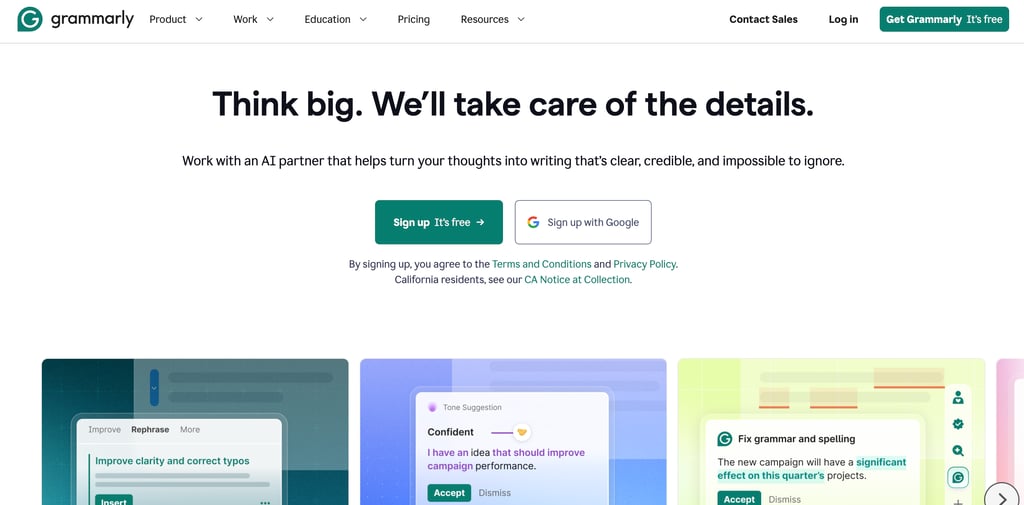
Grammarly isn't just a spellchecker; it reads for tone, clarity, and structure, which matters more in client-facing work than basic spelling ever does. A few things that are genuinely useful for freelance and professional writing specifically:
It catches tone problems before your client does - Tone suggestions flag when a message might read as too blunt, too casual, or unintentionally cold, exactly the kind of thing that's hard to catch in your own writing when you're moving fast between five different client threads.
It works where you already write - The browser extension runs inside Gmail, Google Docs, LinkedIn, and most web-based tools, so you're not copy-pasting into a separate app. For freelancers juggling multiple platforms in one day, this matters more than it sounds. Friction is the main reason most proofreading tools never actually get used.
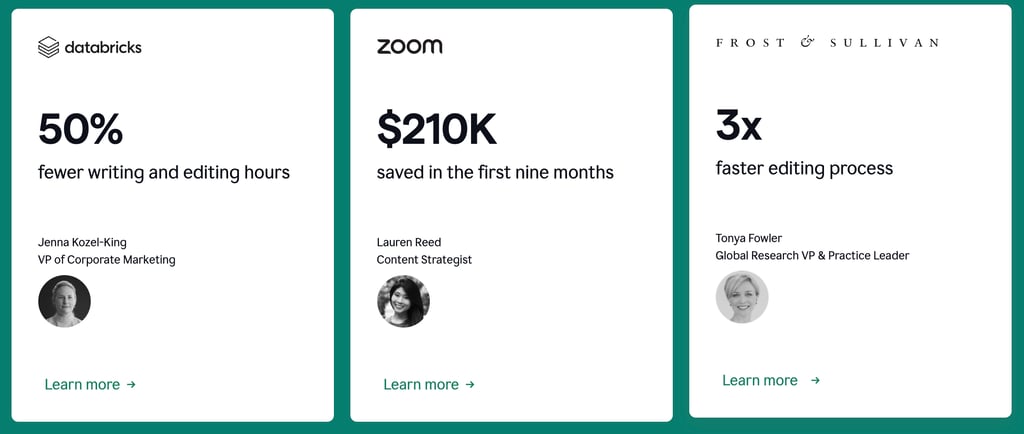
It saves real, measurable time - This isn't just marketing language. One developer who tracked his own usage over two years estimated it saved him 20 to 30 minutes a day, specifically on Slack and client communication, just from not re-reading every message before hitting send.
Try Grammarly free.
The Free Plan vs. Paying for Pro
The free version isn't a stripped-down demo; it covers genuine grammar, spelling, and basic clarity suggestions, and plenty of casual writers never need more than that.
Where Pro earns its cost is volume and nuance: full-sentence rewrites, deeper tone control, plagiarism checking, and a much higher AI-prompt allowance. If you're writing client emails, proposals, or content daily, that gap tends to close fast. It's the difference between a tool that flags problems and one that helps you fix them in a click.
Current pricing: $12/month if billed annually ($144/year), or $30/month on monthly billing. The annual plan is significantly cheaper if you know you'll use it consistently. The monthly option exists mainly for short-term or seasonal use.
Where to Be Careful Before You Subscribe
This is the part most reviews gloss over, and for freelancers specifically, it's worth knowing upfront.
Refunds are not guaranteed - Grammarly's stated policy is that refunds are issued only when legally required, not as a courtesy for an accidental renewal or a forgotten cancellation. Billing complaints (mostly centered on surprise annual renewal charges) account for the vast majority of negative reviews on consumer complaint platforms, even though the product itself is well-reviewed elsewhere. Set a calendar reminder before any renewal date, especially if you signed up during a trial period.
If your clients use AI detection tools, pay attention - This is a real, specific risk for freelance writers: several users have reported that text edited through Grammarly's newer AI-assisted rewriting features can get flagged by AI-detection tools, even when the original writing was entirely human. If you write for clients who explicitly require "human-written" content and check for it, stick to the core grammar and clarity suggestions, and be cautious with the AI rewrite features on final client deliverables.
It can be noisy in specialized writing - If your freelance work involves technical documentation, legal language, or industry jargon, expect Grammarly to flag correct domain-specific phrasing as errors fairly often. It's a useful second pair of eyes, not a tool you should blindly accept every suggestion from.
Is It Worth It for You Specifically?
If you write daily emails, proposals, Slack messages, and deliverables, the time saved and the reduced risk of an embarrassing typo in front of a client tend to justify the cost quickly. If you write occasionally, or mostly for yourself, the free tier likely covers what you need without paying anything.
A reasonable way to decide: start free, and pay attention to how often you're tempted by the upgrade prompt on suggestions you'd actually use. If that's most days, Pro pays for itself fast. If it's rare, there's no real reason to upgrade yet.
Start with Grammarly's free plan.