Harpa AI Review for Bloggers and Content Creators: The Browser Extension That Replaces Five Separate Tools
Harpa AI combines AI writing, SEO research, competitor monitoring, YouTube summaries, and browser automation into a single Chrome extension. Here's the honest 2026 breakdown for content creators before you install it.

Most content creators end up with the same problem eventually: five browser tabs open at once, a writing tool in one, a keyword tool in another, a competitor page in a third, and a YouTube video playing in a fourth because you're trying to research a topic you don't know well enough yet. You spend more time switching between tools than actually creating.
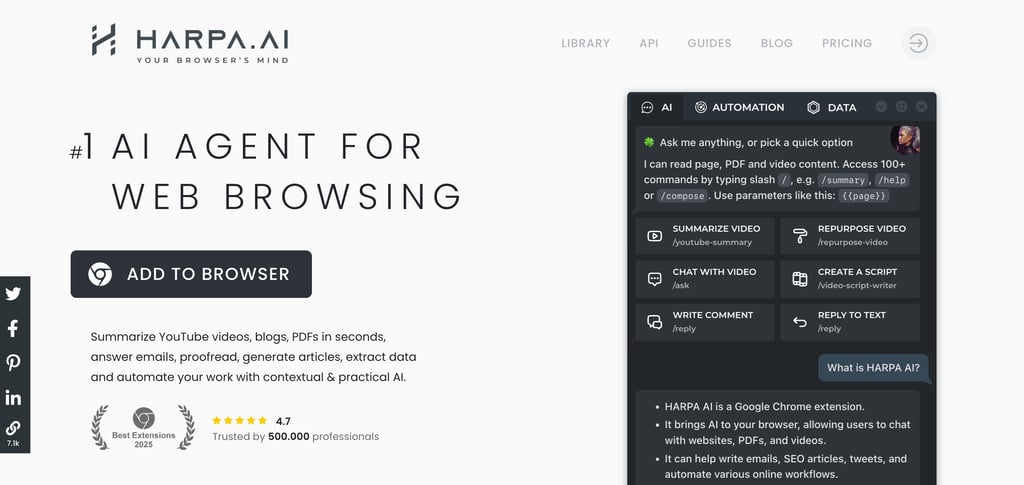
Harpa AI's pitch is that all of that lives in one Chrome extension instead of AI writing, SEO research, competitor page analysis, YouTube summarization, and browser automation, accessible from a sidebar without leaving whatever page you're already on. Here's whether that actually holds up in practice for bloggers and content creators.
What It Does That Actually Matters for Creators
Long-form drafting with real SEO built in: Most AI writing tools draft first and let you worry about optimization separately. Harpa generates articles up to 25,000+ words using 25 different writing frameworks, with a built-in SEO audit running alongside that checks keyword use and E-E-A-T signals in real time as content is produced. For a blogger trying to write and optimize in one pass rather than two, that's a meaningful workflow compression.
Research without tab-switching: Open a competitor article, ask Harpa to summarize it, extract the key arguments, and pull out the keywords all from the sidebar, without copying anything into a separate tool. For creators who spend 30–60 minutes on research before writing anything, this step alone tends to cut that time significantly.
YouTube summaries that actually work: Ask Harpa to summarize a long YouTube video, and it returns the key points with timestamps. For content creators whose research involves watching interviews, tutorials, or explainer videos, skipping to the relevant section rather than scrubbing through a 45-minute video is a real daily time saver.
Competitor monitoring on autopilot: Harpa can watch specific pages on a competitor's blog, a product page, a search results page, and notify you when they change. For a blogger tracking what competitors are publishing or updating, this replaces a manual checking habit that most people do inconsistently anyway.
Write anywhere, in your voice: Because it reads the page you're on, Harpa can draft replies, comments, or social posts in context, aware of what you're looking at rather than working from a blank prompt. Bloggers who also maintain social channels or engage in communities find this particularly useful.
Install Harpa AI for free in 30 seconds, no credit card required.
The Pricing Story Most Reviews Miss
Harpa has one of the more interesting pricing structures in this category, and it matters specifically for bloggers thinking about long-term tool cost.
Free plan: 100 AI command runs per month. Enough to test whether it fits your workflow, but restrictive once you're using it daily, most active bloggers will hit this limit within a week of regular use.
Paid plans: Start at $12/month (annual billing). Unlock higher usage limits, multi-model access, and full automation features.
Lifetime plan: $240 one-time payment. This is the option worth paying attention to. It includes all current and future features; you bring your own API keys to control AI costs, and at $12/month, the subscription pays for itself after 20 months. For a blogger who's committed to the tool long-term, this is one of the few AI tools where the math genuinely favors buying outright over subscribing.
One important note on the lifetime plan: you supply your own API keys (OpenAI, Anthropic, etc.), so your actual AI usage cost depends on how much you use it. Light users may find the included CloudGPT credits sufficient; heavy users should factor in API costs separately.
What to Know Before You Commit
The free tier runs out fast: 100 runs per month sounds reasonable until you're using Harpa for research, drafts, and summaries daily, at which point it's gone in under a week. The free plan is best understood as a trial rather than a long-term option for active creators.
It's desktop-only, with limited mobile support: As of early 2026, Harpa works on Chrome and Edge on desktop. Android users can access it through Kiwi Browser with restricted functionality; there's no native iOS support. If a significant portion of your content workflow happens on mobile, this is a real limitation.
The feature set has a learning curve: Harpa is one of the more capable browser extensions in this category, which means there's a lot to explore. Most creators find the core writing and summarization features immediately intuitive, but automation workflows and custom commands take more setup time. Don't expect to unlock everything on day one.
Support complaints exist, though they're a minority: Most reviews are positive, but at least one documented case of broken credit handling and unreachable support surfaced in verified review platforms. It's not a dominant complaint, but worth knowing if you pay for the lifetime plan. Make sure you understand what the refund/support process looks like before purchasing.
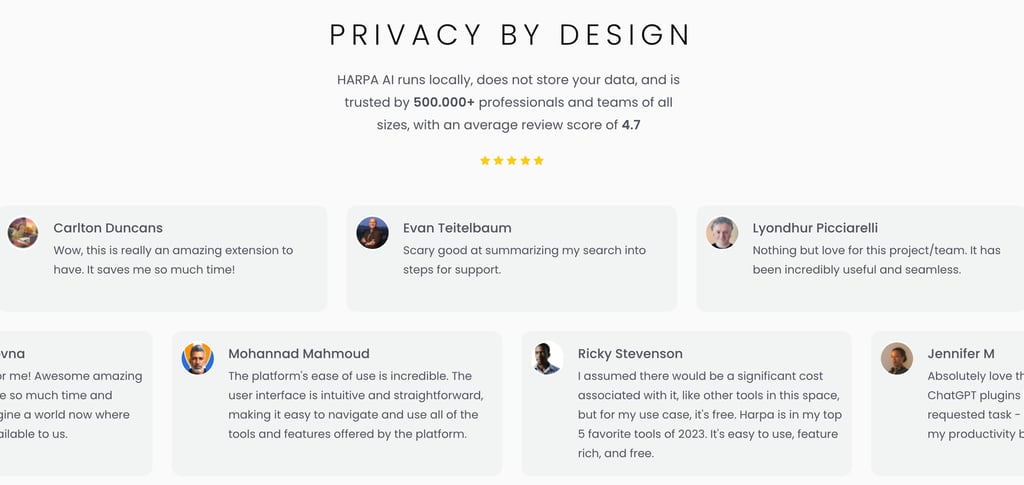
Privacy is stronger than most comparable tools: Harpa operates locally rather than routing your browsing data through external servers. For bloggers handling client work or sensitive research, that's a meaningful distinction from tools that send everything through a cloud API by default.
Is It Worth It for Your Content Workflow?
If most of your content work happens in a browser, researching, reading competitor pieces, watching videos, drafting in Google Docs or a web-based CMS, Harpa removes the tab-switching friction that breaks creative flow without making you learn a new app or migrate your existing workflow.
The free plan is the right starting point. 100 runs are enough to test all the core features with real work before spending anything. If you're hitting the limit regularly within the first two weeks, that's the signal to upgrade, and the lifetime plan is worth the math check if you see yourself using it long-term.
If most of your workflow is offline, mobile-first, or already handled by a specialized tool you're happy with, Harpa adds less marginal value, and the free tier may be all you ever need.
Try Harpa AI free; it works with Chrome and Edge.