Hiver AI Review for Small Businesses: Turn Gmail Into a Real Help Desk Without Learning New Software
If you're managing customer support alone through Gmail, Hiver adds shared inboxes, AI replies, and automation without making you switch platforms. Here's the honest 2026 breakdown before you sign up.
If you run a small business and handle customer support yourself, your Gmail inbox has probably already become a problem. Emails marked "unread" that you meant to come back to. Customers are following up because they didn't hear back. No way to tell whether something's been handled or is still waiting. And no time to set up a whole new helpdesk platform on top of everything else you're already doing.
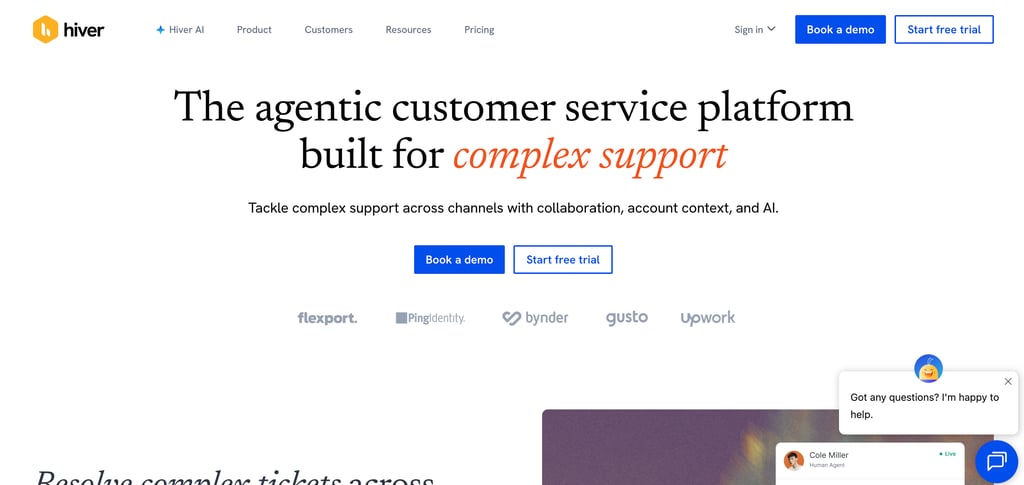
Hiver was built specifically for this situation. It plugs directly into Gmail with no new platform to learn, no migrating your email, and turns your existing inbox into a proper support system with automated routing, AI-drafted replies, and the ability to see everything that's waiting, in progress, or resolved at a glance.
Here's an honest look at what it actually delivers, who it's suited for, and the one pricing detail you need to know before you sign up.
Why "No New Platform" Actually Matters
Most help desk solutions ask you to abandon your inbox and work from a separate ticketing system. That works for larger teams, but for a small business owner already stretched across five roles, adding another dashboard to check every day often means the tool is never used consistently.
Hiver's entire value proposition is that it doesn't do this. It runs inside Gmail as a native extension. Your support@ or info@ emails show up in Gmail exactly as they always have, but now they can be assigned, tracked, auto-categorized, AI-drafted, and closed without you ever leaving the inbox you already know. The recurring reason people pick Hiver is adoption speed, because it runs inside the inbox they already use.
For a solo or near-solo operator, that difference between "tool I'll actually use" and "tool I keep meaning to set up properly" is the whole ballgame.
What It Does in Practice
Auto-categorization stops the triage scramble: Hiver reads incoming emails and sorts them by topic, billing, returns, technical issues, and general inquiries automatically. Instead of manually deciding where each email belongs before you can respond, you open Gmail and the work is already organized.
AI-drafted replies save the repetitive writing: For common questions you answer multiple times a day, Hiver's AI Copilot drafts a reply based on the conversation history and your knowledge base. You review, adjust if needed, and send instead of writing the same answer from scratch for the fourth time this week.
Nothing falls through the cracks: Every email in your shared inbox has a visible status: open, pending, or closed. If you share support duties with even one other person, a VA, a part-time helper, or a co-founder, collision detection prevents both of you from unknowingly responding to the same message simultaneously.
CSAT surveys run automatically: After a conversation closes, Hiver can send a short customer satisfaction survey without you doing anything. You get ongoing feedback on how support is landing without manually chasing it.
Analytics show where time is going: Response time, resolution time, ticket volume by category. These show up in a dashboard without requiring you to build spreadsheets or track anything manually. Useful for spotting whether a particular type of request is eating disproportionate time.
Try Hiver free, no credit card required.
The Pricing Detail You Need to Know Before You Sign Up
This is the most important thing in this review for a solo operator, and it's buried in the fine print on most comparison sites: all of Hiver's paid plans require a minimum of 2 seats. You cannot pay for a single-user account on any paid tier.
What that means in practice: the Growth plan is listed at $25/user/month, but you'll be billed for at least 2 users, $50/month minimum, even if you're the only person using it.
For a genuinely solo operation, the free plan is the realistic starting point. It includes shared inboxes, basic collaboration, and enough functionality to meaningfully improve how you manage a support@ inbox. The paid tiers make more sense once you have at least one other person handling support alongside you, at which point the 2-seat minimum stops feeling like a hidden cost and becomes the actual intended use case.
Verified 2026 pricing tiers:
Free: Shared inboxes, basic collaboration, limited automation. Genuine starting point for solos.
Growth: $25/user/month (2-seat minimum, so $50/month minimum). Adds automations, analytics, and multi-channel support.
Pro: $55/user/month. Adds SLAs, CSAT surveys, customer portal, and API access.
Elite: $85/user/month. Adds AI QA, advanced compliance, SSO, and HIPAA support.
Annual billing saves up to 20% across all paid plans.
Where It Has Limits
Customization is intentionally constrained: Hiver prioritizes simplicity over flexibility; it works well out of the box, but if you need deeply customized ticket fields or complex workflow logic, you'll hit a ceiling faster than with a more enterprise-focused tool.
The free plan has real limitations: Basic collaboration and inbox management are there, but automation, analytics, and advanced AI features are locked to paid tiers. If those are the features driving your interest, factor the 2-seat minimum cost into your comparison.
It's a Gmail-first tool, full stop: If your business runs primarily on Outlook or another email platform, Hiver doesn't transfer; it's built for Google Workspace teams specifically.
Is It Right for Your Business?
If you run customer support primarily through Gmail, are tired of things slipping through the cracks, and don't want to spend a week migrating to a new system, Hiver is one of the most practical upgrades available. The free plan is enough to test whether it meaningfully improves your inbox management before you spend anything.
If you're a true solo operator planning to stay that way, stay on the free plan and reassess when you bring in help. The paid tiers are priced for small teams, not individuals.
If your support volume is very high and you're primarily looking for AI-driven deflection rather than inbox organization, a usage-based tool built specifically for AI ticket resolution may offer better value at scale.
For the specific problem it's designed to solve, a small business managing support through Gmail without the budget or bandwidth for a full helpdesk migration, it solves it well.
Start with Hiver's free plan today.