Miro AI for Small Business: Pricing, AI Features, and the Free Startup Credits Most People Miss
Miro AI can replace your scattered planning tools if you pick the right plan. Full breakdown of pricing, AI features, billing traps, and the $500–$1,000 startup credit program.
Most startups and small businesses run on a short stack of tools: a chat app, a doc editor, maybe a project tracker. When ideas come up in a meeting, they end up in a Slack thread or a Google Doc, and then they get buried. Two weeks later, nobody agrees on what was actually decided.
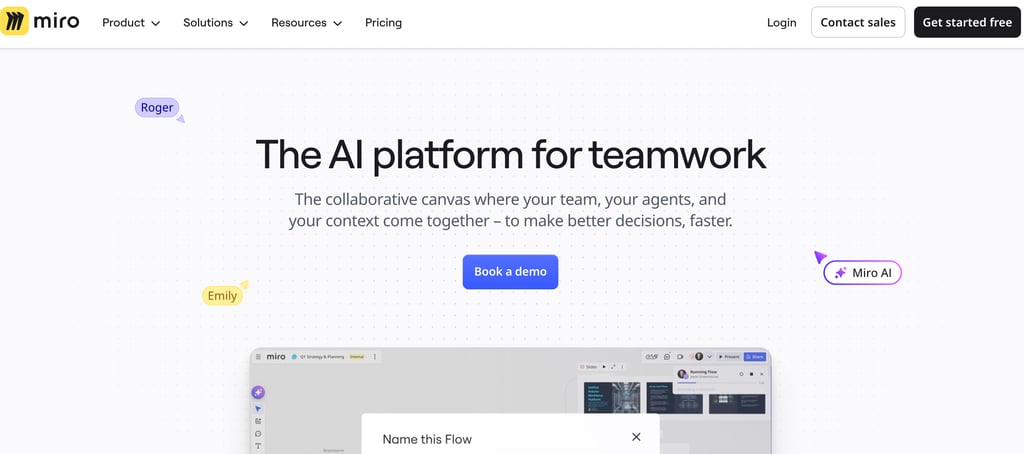
That's the specific problem Miro solves well. It gives your team a shared visual space, a live, infinite canvas where ideas, plans, and workflows can be built together in real time, instead of scattered across different apps and inboxes. And in 2026, Miro has layered a set of genuinely useful AI tools onto that canvas, which significantly changes the time equation for small teams with a lot to do and limited bandwidth.
Here's what it actually means for a startup or small business, without the generic feature-list framing.
What You're Getting
The core of Miro is the infinite canvas, a shared workspace where your team collaborates in real time. You can see where everyone's working, what they're adding, and how ideas connect in a way no document or chat thread can replicate. It's the closest thing to a physical whiteboard session that works across time zones.
The AI layer, added and expanded through 2025–2026, handles the parts that slow teams down:
It turns a wall of sticky notes into an organized structure: After a brainstorm or workshop, Miro AI can automatically cluster related ideas, identify themes, and generate a summarized output. Instead of someone spending two hours after a meeting organizing notes, the AI does a first pass in seconds. You refine; you don't rebuild from scratch.
It generates diagrams from plain text: Describe a workflow or process in a sentence, and Miro builds a flowchart or mind map from it. For a startup mapping out its customer journey or an operations lead documenting a process, this cuts hours off what used to be manual drawing work.
It summarizes meetings and boards: If someone misses a session, or if a board has grown across weeks of asynchronous work, AI can generate a concise summary of what decisions were made, open questions, and next steps without anyone having to write it up manually.
It keeps your brand consistent across sessions: The platform stores your templates, colors, and frameworks, so every planning session or workshop starts from the same foundation rather than a blank canvas every time.
Try Miro free, no credit card required.
Pricing for Small Teams: What Actually Makes Sense
This is worth explaining clearly because the source notes most people read don't break it down well for small businesses specifically.
Free plan: Three editable boards, unlimited users, 10 AI credits per team per month. Genuinely useful for a solo founder testing the tool or a two-person team with simple needs. But three boards go fast once you're actively using them.
Starter plan ($8/user/month, billed annually): This is the right entry point for most small businesses. Unlimited boards, private boards, custom templates, 25 AI credits per member per month. A five-person team pays $480/year total and gets a full collaboration environment that replaces a patchwork of separate tools.
Business + AI Workflows plan ($20/user/month, billed annually): Significantly more expensive. Worth it if you need SSO, advanced security controls, or the full AI Workflows feature set. Most early-stage startups don't need this yet. Start with the Starter and upgrade when the need is clear.
One thing worth flagging specifically for startups: Miro has a startup program offering $500–$1,000 in credits for pre-Series A companies with fewer than 30 employees. Worth checking before you pay full price.
Where to Be Careful
Two real traps that catch small businesses, specifically not product complaints, are billing mechanics:
The guest seat trap: If you share a board with a freelancer, contractor, or client, Miro may count them as a paid seat depending on your plan and how they access the board. On the Starter plan, guests can view and comment, but not edit. If you need external collaborators to actively work on boards, you'll need to upgrade to Business, which is a significant jump in cost. Understand this before you start inviting people.
Auto-renewal on annual plans: Like AdCreative.ai and Grammarly, Miro's billing complaints are concentrated around renewal surprises and a refund process users describe as difficult. Set a calendar reminder well before your renewal date if you're on annual billing.
Is It Right for Your Stage?
Miro is a strong fit if your team runs workshops, planning sessions, retrospectives, or any process that benefits from visual structure, especially if you're distributed or hybrid. The AI tools in 2026 are genuinely useful rather than bolted-on, particularly the clustering and diagram generation features.
It's a weaker fit if your collaboration is mostly linear. If you're primarily writing documents, tracking tasks, and communicating via chat, you might find Miro's canvas more flexible than you actually need. ClickUp or Notion would serve that workflow better at a lower cost.
For teams that think visually and run creative or strategic work regularly, the Starter plan is one of the better-value SaaS investments in this category right now.
Start your free Miro trial and explore the AI features.

