Zebracat Review for Content Creators: Text-to-Video AI That Actually Ships Content (2026)
Zebracat turns scripts, blog posts, and ideas into social-ready videos for TikTok, Reels, and YouTube Shorts no editing skills needed. Here's the honest 2026 breakdown, including the video and credit limits most reviews skip. - Updated on November 2026
For most content creators, the bottleneck isn't ideas; it's production time. Writing the script is one thing; recording, editing, adding captions, resizing for three different platforms, and publishing consistently is another. That's where the content calendar starts slipping.
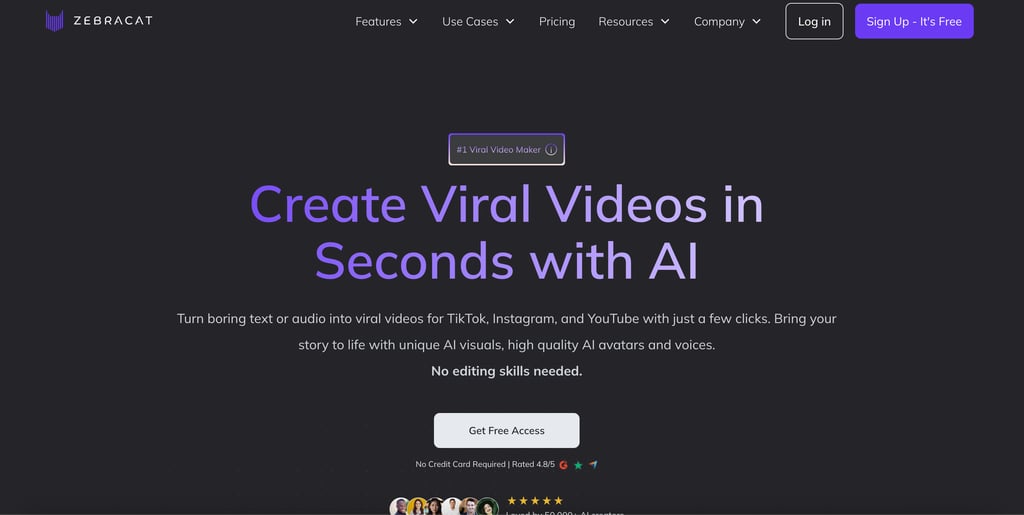
Zebracat is built around one promise: paste in text, get a publishable social video out. For creators who want to show up on TikTok, Instagram Reels, and YouTube Shorts without spending hours in an editing timeline, that workflow has real appeal. Here's what it actually delivers in 2026 and the limits worth knowing before you sign up.
What Zebracat Does
Zebracat takes text input a script, a blog post, a rough idea and generates a short-form video complete with visuals, voiceover, captions, and music. The process runs in minutes rather than hours, and the output is formatted for social platforms by default.
Text and blog-to-video: Paste a script or blog URL and Zebracat pulls the content, selects matching footage from its stock library, generates AI voiceover, and assembles a finished video. This is the core workflow, and it's the fastest path from written content to published video available in this category.
Brand kit customization: Upload your logo, set your brand colors and fonts, and every video Zebracat generates carries your visual identity. Available from Cat Mode upward, this is what separates consistent channel presence from one-off generated content that looks generic.
AI voiceover with multilingual support: Zebracat generates voiceover in multiple languages, which means creators targeting non-English audiences can produce localized content without recording in a second language or hiring voice talent. Higher tiers unlock voice cloning to match your own vocal style.
Social-first formatting: Outputs are sized and formatted for TikTok, Instagram Reels, and YouTube Shorts natively in 9:16 vertical, with captions rather than requiring manual reformatting after export.
Stock footage library: For creators who don't have original footage to work with, Zebracat's built-in library covers most standard content categories. The result won't look like a custom shoot, but it's functional for educational, informational, and commentary-style content.
Try Zebracat free, no credit card required.
Pricing: What the Plans Actually Include
Zebracat's pricing has two layers: a video count limit and an AI credits limit. Both apply simultaneously, and understanding both matters before you pick a plan.
Verified 2026 pricing (billed annually):
Free: $0/month. 5 videos total (not per month), 30-second maximum length, 720p resolution, watermarked exports. Enough to test the output quality, but not enough to use for published content.
Cat Mode: $19/month, billed annually. 15 videos/month, 350 AI credits/month, 2-minute maximum video length, 1080p, no watermark, full template and stock library access.
Super Cat: $49/month, billed annually. 40 videos/month, 1,400 AI credits/month, 5-minute maximum, voice cloning, custom avatars, 25+ language video translation.
Unlimited Cat: $99/month, billed annually. Unlimited videos, 3,600 AI credits/month, 5-minute maximum, 10 custom avatars and voice clones.
Enterprise: From $599/month. Custom terms, dedicated support.
The dual-limit detail most reviews miss: Video count and AI credits are separate meters. Cat Mode's 15 videos per month sounds manageable until AI-heavy features like voice cloning, custom scenes, or translation consume credits faster than expected. Credit burn rates per feature aren't clearly published, so your actual capacity depends on which features you use most. Test on the free tier with your typical workflow before committing to a paid plan.
Note: Monthly billing rates are significantly higher than annual. Pricing above reflects annual billing. Verify current figures on Zebracat's pricing page before subscribing, as plan structures in this category update frequently.
What to Know Before You Commit
Videos are capped at 5 minutes on every paid plan. Zebracat is purpose-built for short-form social content. If you create YouTube videos longer than 5 minutes tutorials, vlogs, long-form explainers this platform isn't the right fit. The 5-minute ceiling applies even on the Unlimited Cat plan.
Output resolution tops out at 1080p: There is no 4K export option on any current plan, including Enterprise. For most social platforms, this is sufficient, but creators producing content for large-screen viewing or premium placements should know this upfront.
Style leans toward explainer and informational content: Zebracat's AI-assembled videos look polished for educational and informational formats. They're a less natural fit for creator-style UGC ads, lifestyle content, or anything requiring a personal, human feel; the stock footage aesthetic is identifiable to trained eyes.
No talking-head or AI avatar quality to match specialist tools: Zebracat includes avatar features on higher tiers, but independent reviewers consistently note the realism falls short of avatar-first platforms like HeyGen. If realistic on-camera AI avatars are your primary need, a dedicated avatar tool will serve you better.
Less editing control than traditional software: The automation-first design means you're working with what the AI assembles, with limited timeline-level adjustments. Creators who want granular control over cuts, transitions, and color grading will find the editing layer thin compared to Premiere Pro or DaVinci Resolve. The tradeoff is speed: you're gaining production time by giving up control.
The free plan is for testing only: The 5-video total (not monthly) limit and mandatory watermarks mean the free tier is a preview, not a usable content production tool. Cat Mode at $19/month annually is the realistic entry point for published content.
Who It's Right For
Zebracat works best for creators who produce high-volume, short-form content and need to move fast, social media managers posting daily, educators turning lesson notes into video clips, or marketers repurposing blog content into Reels and Shorts at scale. The workflow genuinely compresses production time for this content type.
It's a weaker fit if your content is longer than 5 minutes, requires a cinematic or premium visual feel, relies heavily on custom footage you've recorded yourself, or needs talking-head AI avatars with high realism.
Is It Worth Trying?
The free plan lets you generate 5 watermarked videos, enough to test output quality against your actual content before spending anything. Run your real scripts through it, check whether the visual style and voiceover quality meet your bar, and evaluate whether Cat Mode's 15 videos/month fits your publishing cadence. That honest test tells you more than any review can.
At ~$19/month annually, Cat Mode is priced accessibly for creators who publish regularly on social. If the output quality clears your bar on the free test, it's a reasonable investment in production time saved.
Start creating with Zebracat; try it free today.